Advisor mode
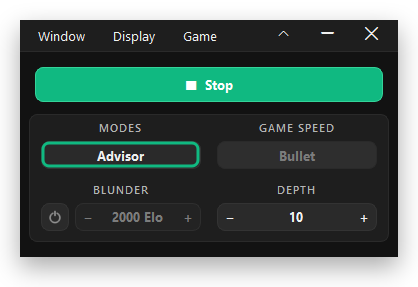
Shows the best move on the board while you play. You stay in control of the mouse.
Chess Arrow is a modern chess move advisor. It follows the game on your screen and shows the strongest move right on the board, at the strength you choose.
Windows 10 and 11 · Free for 1 day · One-time payment after that
Windows 10 and 11 · Free for 1 day · Purchases are paused right now
A lean toolkit built around one job: showing you the right move at the right time, without getting in your way.
Shows the best move on the board while you play. You stay in control of the mouse.
Plays the suggested move for you with the mouse. Press Alt+X to stop it at any time.
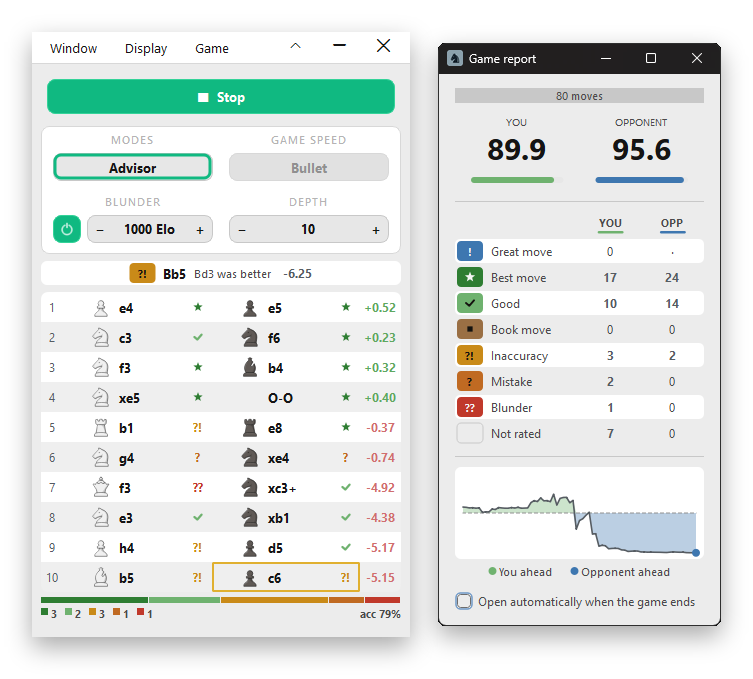
Grades every move you play and names a better one when you slip. After the game you get a report with both sides' accuracy.
Ships with Stockfish 18, the world's strongest open-source chess engine.
Compare up to five candidate moves at once, ranked by evaluation.
Set the engine's search depth from 1 to 20: low for a quick hint, high for the strongest move. Or turn on Blunder mode to play at a rating you choose.
The analysis runs entirely on your machine. No account, no cloud, no telemetry.
Shows the solving move on puzzle pages and works out your colour from each new puzzle.
Four books included. Load your own Polyglot books and switch between them.
Pick the colour of every arrow, the highlight style and opacity, and the marker size. Put the eval bar where you want it.
Alt+W starts you as White, Alt+B as Black, Alt+X stops. They work while your browser is in front.
Advisor shows the best move, Auto plays it, Puzzle solves puzzles and Coach grades your moves.

No account creation, no system dependencies. Three steps and you're running.
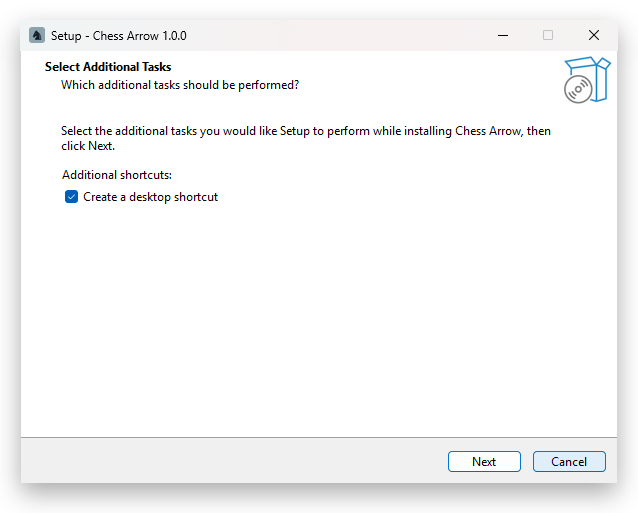
Run ChessArrow-Setup.exe and follow the installer. It takes under a minute and needs no admin rights. If Windows says it protected your PC, choose More info, then Run anyway.
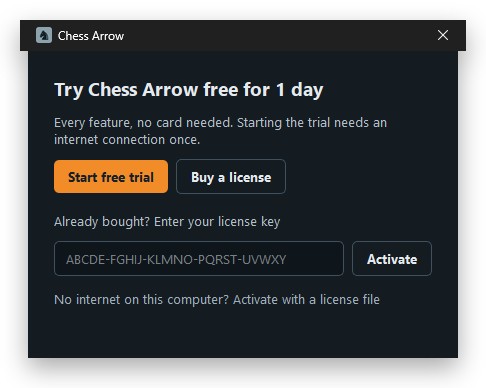
Open it from the Start menu, then start your free trial or enter your license key. A compact window opens next to your board.
Open your chess game and press Start. The first time, begin from the starting position so Chess Arrow can learn the pieces.
A 60-second walkthrough, from installation to your first game.
Buy it once, use it as long as your computer runs. Comparable tools charge $20 every month or $90 for a lifetime license. Chess Arrow: one price, forever.
Not sure yet? Try every feature free for 1 day before you buy.
Requires Windows 10 or 11 (64-bit), 4 GB RAM, 1 GB free disk space
Scanned by 60+ antivirus engines on VirusTotal. None flagged it. See the report
Lifetime license · Launch price
License key delivered by email within 5 minutes.
Sold through Creem, our merchant of record.
Terms · Refund policy
Checkout is switched off right now, so no payment can be taken. Email chessarrowapp@gmail.com and we'll tell you the moment it's back.
It works with most chess websites. If yours isn't supported yet, send us a message with the site's name and we'll add it.
Engine help in games against other people breaks the fair-play rules of online chess sites. Their anti-cheat systems compare your moves with engine play across many games using advanced statistical models. You won't slip past them, and accounts caught this way are banned.
No. You pay once and own the license. No monthly fee, no auto-renewal.
Windows 10 (version 1809 or later) and Windows 11, 64-bit. There is no macOS or Linux version.
Chess Arrow runs the Stockfish engine on your own computer, so it uses processor power while it thinks. On most PCs you won't notice.
Blunder mode sometimes works harder. To play like the rating you pick, it compares candidate moves and then chooses a weaker one on purpose, and when a position needs it, it searches deeper than the depth you set. So with Blunder mode on, an occasional move can take a moment longer, most often early in a game. On an older or slower PC, lower the depth if you notice a delay. When you press Stop, the analysis stops.
Your license runs on one computer at a time. To switch machines, deactivate the old one on the Activate page, then activate the new one. There is no limit on how often you move it.
Yes. Chess Arrow is new and not code-signed yet, so Windows SmartScreen may warn you the first time you run the installer, and some antivirus tools may flag it by mistake. Choose More info, then Run anyway, or add Chess Arrow to your antivirus exceptions.
None of the 60+ antivirus engines on VirusTotal flagged the installer: see the report. To check that your download is the same file, run Get-FileHash ChessArrow-Setup.exe in PowerShell and compare the result with this SHA-256:
5046a9bc0522f3f0e67952e06152d751ebe8ccff75ed2a71121fd7b938fe1d91
Yes. Download Chess Arrow and every feature is free for 24 hours. The trial starts when you choose Start free trial in the app, which needs an internet connection once. When it ends, buy a license and enter your key in the app to keep using it.
Download ChessArrow-Setup.exe, run it and follow the steps. No admin rights needed. The first time you open Chess Arrow, start your free trial or enter your license key.
Email us at chessarrowapp@gmail.com and include a screenshot of your setup. We usually reply within one business day.
Questions, feature requests or setup issues: write to us directly.
The fastest way to reach us is email. Include a short description of what you're trying to do and a screenshot if something isn't working. We answer every message.
chessarrowapp@